
SHAREit
Tools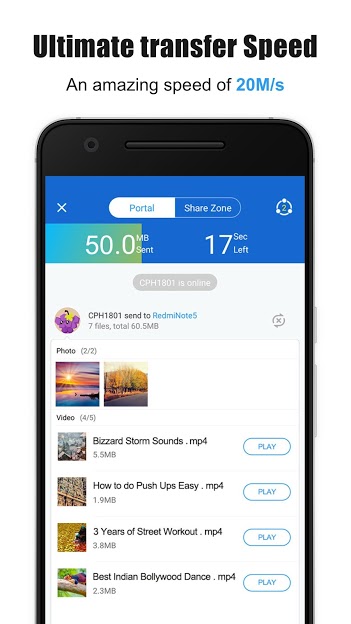

SHAREit is a long‑standing Android utility that lets you move photos, videos, apps, and other files between devices without using mobile data. The latest build, version 6.55.28_UD, keeps the core peer‑to‑peer transfer engine while polishing the user interface and fixing minor bugs.
This page provides a quick overview, installation steps, and practical tips for using the APK safely on your Android phone or tablet.
Quick Information
| App/Game Name | SHAREit |
| Latest Version | 6.55.28_UD |
| Developer | Not listed |
| Category | Apps / Tools |
| App Size | 81.43 MB |
| Package Name | com.lenovo.anyshare.gps |
| Last Updated | 13 October 2026 |
What Is SHAREit?
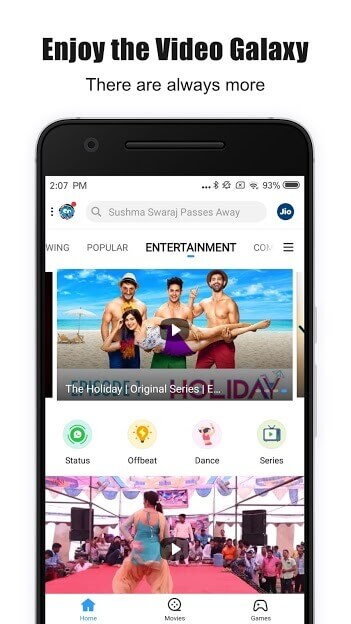
SHAREit is a free file‑sharing tool that creates a direct Wi‑Fi hotspot between two devices, allowing high‑speed transfers that are faster than Bluetooth and do not rely on an internet connection. It supports a wide range of file types—photos, videos, music, documents, and even APKs. The app also includes a basic media player and a file manager for browsing received content.
Because the app works offline, it is useful in areas with limited connectivity. However, it requires both devices to have the app installed and to be within a short range (typically up to 20 meters). The free version shows occasional ads, and there is no official premium tier.
Compatibility
| Android Version | ✓ Verified — 4.1 and up |
| Architecture (ARM64 / 32-bit) | ✓ Verified — Supports common device architectures |
| Internet Connection | ✓ Verified — May be required for ads, updates, or login |
| Storage Needed | Not Verified |
| OBB/Data Files | Not Verified |
| Root Required | Not Verified |
How to Install
- Download the SHAREit APK file from a trusted source.
- On your device, open Settings → Security (or Privacy) and enable Install unknown apps for the browser or file manager you used.
- Locate the downloaded
SHAREit_6.55.28_UD.apkin your Downloads folder and tap it. - Follow the on‑screen prompts to complete the installation.
- Open SHAREit, grant the requested permissions (location, storage, and Wi‑Fi), and you’re ready to start sharing.
Troubleshooting
- App not installed: Ensure you have allowed installations from unknown sources and that the APK is not corrupted.
- Crashes on launch: Clear the app cache via Settings → Apps → SHAREit → Storage → Clear cache, then restart the device.
- Transfer fails: Both devices must have Wi‑Fi turned on and be within range. Re‑start the transfer and make sure the latest version is installed on both ends.
- Ads are intrusive: Ads are part of the free version; they cannot be disabled without a premium offering, which SHAREit does not currently provide.
Safety & Security
SHAREit is a widely used app, but as with any third‑party APK, you should verify the source before downloading. Review the permissions the app requests—location, storage, and Wi‑Fi are required for its core functionality. Avoid entering personal or financial information within the app, and keep an eye on updates, as newer releases can sometimes change behavior.
How SHAREit Compares
| Feature | SHAREit | Xender | Send Anywhere | Files by Google |
|---|---|---|---|---|
| Price / Free model | Free with ads | Free with ads | Free (offers paid premium) | Free (no ads) |
| Platform availability | Android, iOS, Windows | Android, iOS, Windows, macOS | Android, iOS, Web | Android, iOS, Web |
| Standout feature | Offline Wi‑Fi hotspot, supports any file type | Fast cross‑platform transfers, built‑in media player | Link‑based sharing, no need for both devices to have the app | Integrated file cleanup and storage management |
| Best for | Users who need quick, local transfers without internet | Those who want a familiar UI and cross‑platform support | Sharing large files when devices are not nearby | Managing storage and occasional file sharing |
Alternatives
- Xender: Similar peer‑to‑peer transfer app with a polished UI and support for both Android and iOS.
- Send Anywhere: Uses a 6‑digit key or link to share files, allowing transfers even when devices are far apart.
- Files by Google: Focuses on cleaning up space but also offers simple offline sharing via a built‑in Wi‑Fi Direct feature.
Final Verdict
SHAREit remains a solid choice for fast, offline file transfers between Android devices, especially when you need to move large media files without using mobile data. The app is free but ad‑supported, and it requires the usual permissions to function. Verify the APK source, grant the necessary permissions, and you’ll have a reliable sharing tool. If you prefer a cleaner, ad‑free experience, consider Files by Google or Send Anywhere as alternatives.
Frequently Asked Questions
SHAREit is a widely used file‑transfer app, but you should download the APK from a reputable source and review its permissions before installing.
No. SHAREit creates a direct Wi‑Fi hotspot between devices, so transfers work offline as long as both devices have Wi‑Fi enabled.
The app runs on most Android versions from Android 5.0 (Lollipop) onward, but newer Android releases may improve stability.
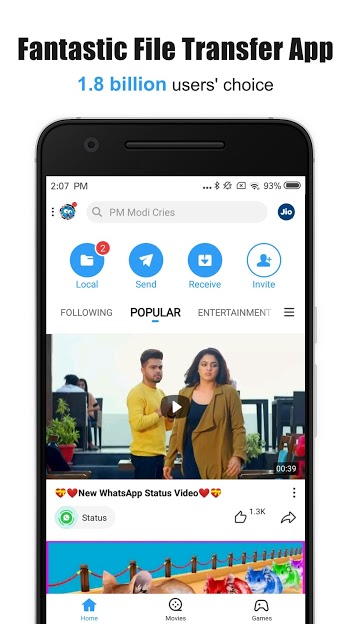
Open the app, tap "Send" on the source device, select the files, then tap "Receive" on the target device and follow the on‑screen prompts.
This can happen if installations from unknown sources are disabled, the APK is corrupted, or the device lacks enough storage space.
Yes, SHAREit has an iOS version, but both devices must have the app installed for the transfer to work.
SHAREit does not impose a strict limit; the practical limit depends on the available storage on each device.
Currently SHAREit is free with ads and does not provide a paid, ad‑free tier.